
The Ultimate CookOut Delivery Guide: Apps, Rates, and Secret Tray Hacks (2026)
Is CookOut Delivery Available? While Cook Out does not offer native delivery or hire their own drivers through their official website, you can order the entire menu 24/7 via major third-party applications including DoorDash, Uber Eats, and Grubhub.
Delivery platform fees generally fluctuate between $0.99 and $4.99 depending on your location, with menu item prices reflecting a standard 10% to 15% third-party convenience markup.
Where Can I Order CookOut Delivery Near Me?
Because Cook Out relies entirely on third-party marketplace logistics, availability varies heavily by state and specific location (whether you are ordering in North Carolina, Virginia, Georgia, or South Carolina).
| Delivery Platform | Average Delivery Fee | Late-Night Delivery Hours | Best Feature |
| Uber Eats | $0.99 – $3.99 | Up to 3:00 AM / 4:00 AM | Best integration for Uber One ($0 fees) |
| DoorDash | $1.99 – $4.99 | Varies by driver availability | Highest regional coverage in the South |
| Grubhub | $2.00 – $4.50 | Dependent on local market | Great for bundled promo codes |
Step-by-Step: How to Customize a “CookOut Tray” for Delivery
The single biggest issue users face when ordering Cook Out delivery is navigating the complex “Cook Out Tray” customization on a mobile screen. If configured incorrectly, third-party apps will auto-reject or simplify the order.
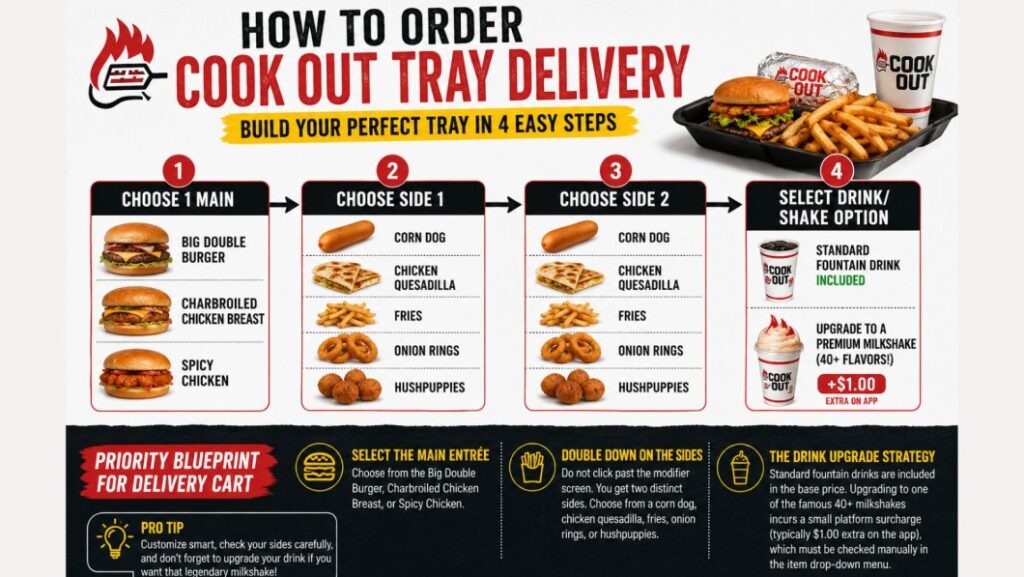
Follow this specific priority blueprint when building your online delivery cart:
- Select the Main Entrée: Choose from the Big Double Burger, Charbroiled Chicken Breast, or Spicy Chicken.
- Double Down on the Sides: Do not click past the modifier screen. You get two distinct sides. You can choose a corn dog, chicken quesadilla, fries, onion rings, or hushpuppies.
- The Drink Upgrade Strategy: Standard fountain drinks are included in the base price. Upgrading to one of the famous 40+ milkshakes incurs a small platform surcharge (typically $1.00 extra on the app), which must be checked manually in the item drop-down menu.
3 Insider Hacks to Save Money on CookOut Delivery
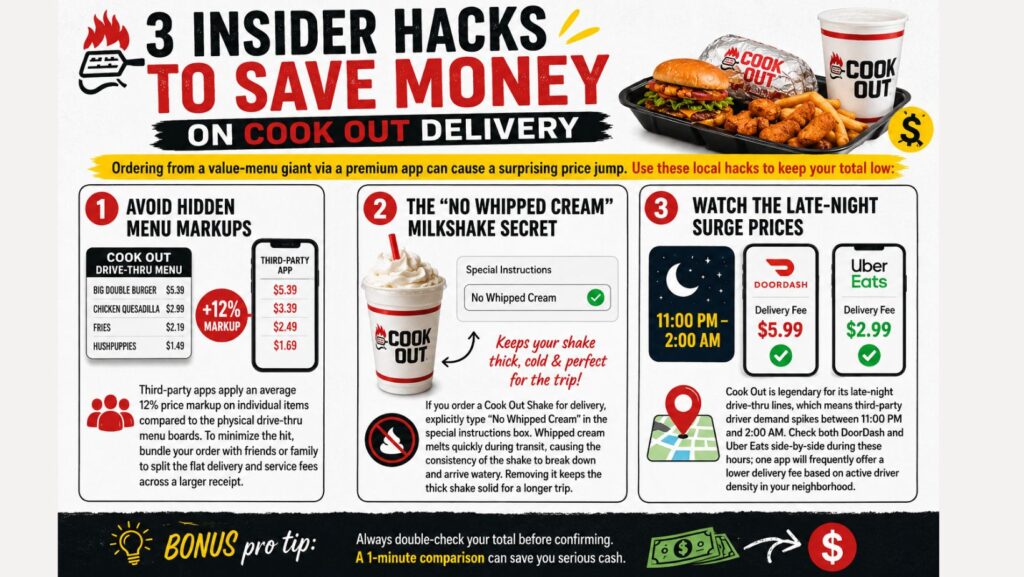
Ordering from a value-menu giant via a premium app can cause a surprising price jump. Use these local hacks to keep your total low:
Avoid Hidden Menu Markups
Third-party apps apply an average 12% price markup on individual items compared to the physical drive-thru menu boards. To minimize the hit, bundle your order with friends or family to split the flat delivery and service fees across a larger receipt.
The “No Whipped Cream” Milkshake Secret
If you order a Cook Out Shake for delivery, explicitly type “No Whipped Cream” in the special instructions box. Whipped cream melts quickly during transit, causing the consistency of the shake to break down and arrive watery. Removing it keeps the thick shake solid for a longer trip.
Watch the Late-Night Surge Prices
Cook Out is legendary for its late-night drive-thru lines, which means third-party driver demand spikes between 11:00 PM and 2:00 AM. Check both DoorDash and Uber Eats side-by-side during these hours; one app will frequently offer a lower delivery fee based on active driver density in your neighborhood.
Frequently Asked Questions (FAQ)
Can you order all 40+ milkshake flavors on DoorDash?
Yes, the vast majority of the core milkshake menu is available across all major delivery platforms. However, highly volatile seasonal flavors—such as Fresh Watermelon in July or Eggnog in December—may be missing from the apps if the specific store’s local inventory runs low.
Why is my local Cook Out missing from Uber Eats?
If a location disappears from your app, it usually means the restaurant has temporarily paused incoming third-party orders due to extreme kitchen volume, or there are no active delivery couriers operating within your local radius. Wait 15 minutes and refresh the app to check availability again.
Does Cook Out accept gift cards on third-party delivery apps?
No. Official Cook Out gift cards can only be swiped physically at the restaurant’s walk-up windows or drive-thru lanes. All delivery orders must be paid for natively through the payment processors built into DoorDash, Uber Eats, or Grubhub.